Product Center
Wanlin Group AndroidSBC · Android Board for Information Display Screen
Android Board for Information Display Screen
Android Board for Information Display Screen product introduction, RK3568 processor, supports information display screen applications.
Product Scope and Support
Review the product configuration, interfaces, platform options, customization services and engineering support for this solution.
Information Needed for Selection
Share the use case, required interfaces, operating system, display requirements, quantity and target delivery schedule.
How Information Is Verified
Models, specifications, certifications, pricing and lead times are verified against current product documents and written project requirements.
Product Details
Details
Android Board for Information Display Screen
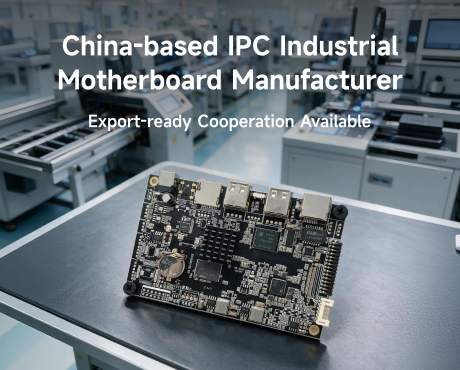
Android Board for Information Display Screen is a high-performance Android control board specifically designed for information display screen applications. It uses mainstream ARM architecture processors and supports rich peripheral interfaces to meet the stable operation requirements of information display screen equipment.
Product Features
- High-Performance Processor: RK3568 Quad-core Cortex-A55, 2.0GHz
- Large Memory: 2GB/4GB/8GB DDR4 optional
- High-Speed Storage: 16GB/32GB/64GB eMMC
- Rich Interfaces: HDMI 2.0, USB 3.0, RS232, LAN, WiFi6, Bluetooth 5.0
- Industrial Grade: Supports -10°C~60°C wide temperature operation
Application Scenarios
Android Board for Information Display Screen is widely used in information display screen, smart terminals, commercial display equipment, information publishing systems and other scenarios, providing a stable and reliable Android computing platform for equipment.
Technical Specifications
- Processor: RK3568 Quad-core Cortex-A55 @ 2.0GHz
- GPU: Mali-G52
- Memory: 2GB/4GB/8GB DDR4
- Storage: 16GB/32GB/64GB eMMC
- OS: Android 11/12/13
- Display: HDMI 2.0 / LVDS / MIPI-DSI
- Network: Gigabit LAN / WiFi6 / Bluetooth 5.0
- Operating Temperature: -10°C ~ 60°C
- Board Size: 100mm × 80mm
For more information about Android Board for Information Display Screen, please contact: +8613261677119, Email: androidsbc@163.com.
Prev:no more